Castalia Institute Atelier
terrAIn
Where AI Learns to Move Earth.
Open-source robotics · Physical AI · Built for learners
Castalia Institute Atelier
Where AI Learns to Move Earth.
Open-source robotics · Physical AI · Built for learners
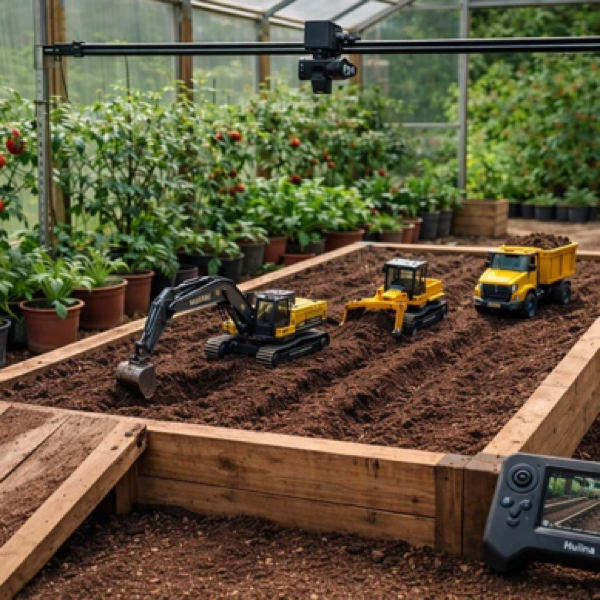
Take a 4×8 ft bed of soil. Add a fleet of RC construction vehicles — an excavator, a dump truck, a bulldozer, a loader. Wire them with ESP32 microcontrollers and connect them to a Jetson running ROS2. Now teach them to work together.
That's terrAIn. It's a robotics platform where the terrain is real, the physics is real, and the machines actually dig. An overhead camera watches the bed, maps the surface, and feeds the AI planner. The robots execute. Sometimes they get stuck. Sometimes the soil doesn't cooperate. That's the point.
The whole thing fits in a greenhouse, a shed, or a backyard. Same footprint as a raised garden bed — because it is one.
View the repo → Design docMost AI today is disembodied. It reasons in text but has never pushed against anything. Intelligence didn't evolve in a chat window — it evolved through friction with the physical world.
terrAIn is our answer to that gap. When a student writes code and a machine digs a trench that collapses, they learn something no simulator can teach: the world pushes back. Soil has weight. Friction is real. Plans fail and you adapt.
For kids, that's where the learning lives — in the gap between what they planned and what actually happened. For researchers, it's a cheap, repeatable testbed for multi-agent coordination on deformable terrain. For everyone else, it's genuinely fun to watch tiny excavators move real earth.
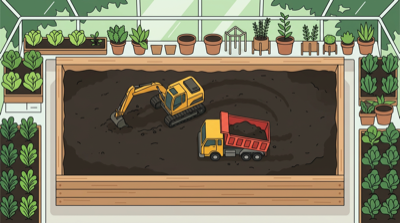
The terrain bed: a robotics sandbox at garden-bed scale.
terrAIn started as a research project and turned into something families, schools, and maker spaces actually want to use.
Every vehicle starts as a stock Huina RC model — solid metal construction, good mechanics, affordable. We retrofit each one with an ESP32-S3 for wireless control and micro-ROS, so they talk to the Jetson base station as autonomous agents.
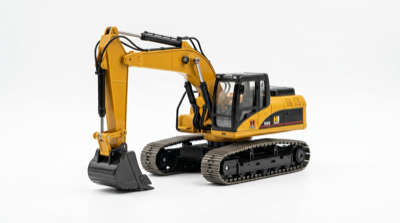
The workhorse. Huina 1550 or 1580 — tracked chassis, full arm articulation, bucket. Digs trenches, loads trucks, shapes terrain. This is probably the first vehicle you buy.
$55 – $85
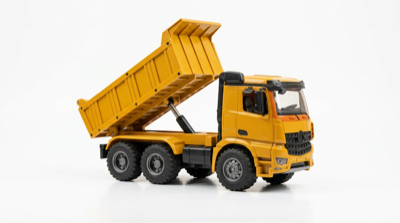
Pairs with the excavator. Hauls soil and gravel from point A to point B, articulated dump bed for unloading. The coordination between these two is where multi-agent planning gets interesting.
$55 – $75
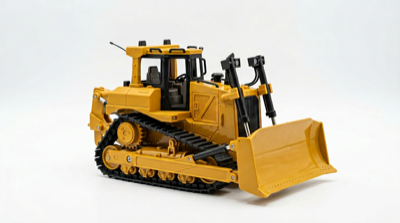
Pushes material and levels surfaces. The blade makes it the best tool for grading — flattening terrain to a target elevation. Tracked, so it handles loose soil well.
$60 – $80
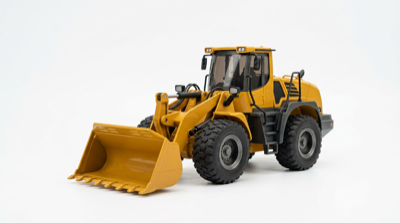
Front-loading bucket on a wheeled chassis. Good for scooping and placing material. Faster than the excavator for bulk moves, less precise for detail work.
$55 – $75
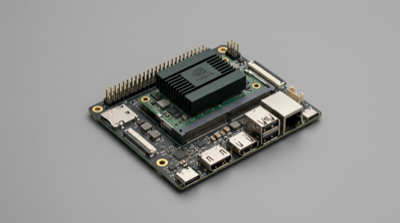
NVIDIA Jetson Orin Nano running ROS2. Handles perception from the overhead cameras, builds terrain maps, coordinates the fleet, and runs the AI planner. Optional overhead gantry kit included in the Research tier.
$499 – $599
terrAIn uses the Atlas DS as its controller — a dual-screen handheld that gives you both the bird's eye and the driver's seat at the same time.
Bottom screen shows the overhead terrain map. Top screen shows the camera feed from whichever vehicle you're controlling. You can plan on the map view, then switch to manual driving, or just watch the autonomy run. One device handles teleop, monitoring, and field configuration for the entire fleet.
Students see both perspectives — the strategic overhead view and the robot's-eye view — which makes the gap between planning and execution visceral instead of abstract.
Atlas DS docs and firmware →Two tiers. Start with Home if you're a family or a small group. Go Research if you want the full fleet, simulation, and multi-robot projects.
One bed, one vehicle (excavator or truck), base station or single-node setup, sensors, and all the software. Everything you need for a backyard robotics lab. Fits a shed, patio, or greenhouse. One kit, the whole family.
$599 – $899
Jetson base station, the full fleet (excavator, truck, dozer, loader), perception gantry, ROS2 stack, and Isaac Sim integration. Built for STEM clubs, schools, and anyone running a serious multi-robot curriculum.
$2,000 – $4,000
terrAIn is open source. Everything — firmware, ROS2 packages, curriculum docs, Isaac Sim scenes — lives on GitHub. We're building this in the open because the best robotics education shouldn't be locked behind a vendor.
Your support funds hardware kits for schools and homeschool co-ops that can't afford the upfront cost, plus documentation and certification paths so students can show what they've built.
OpenCollective GitHub Sponsors STEM kits
Back the campaign (coming soon)